The Fault Management System
Description - FMS
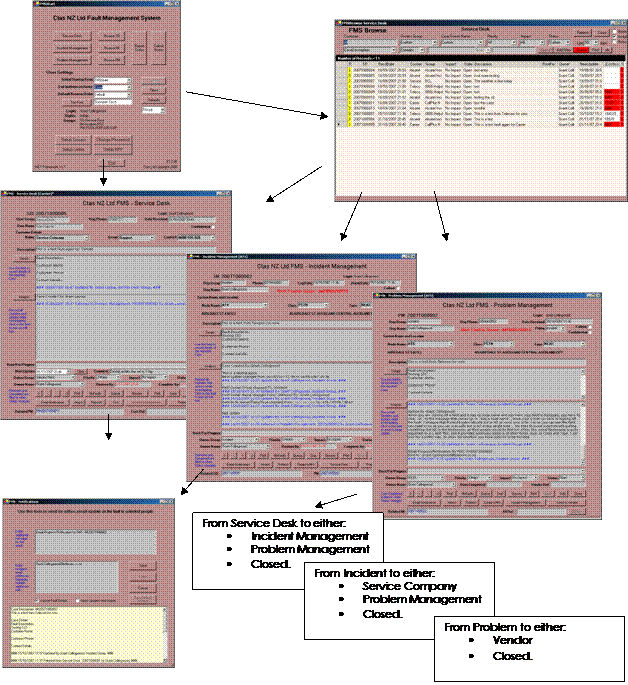
The following diagram shows basic high level inputs, and outputs. In simple terms, faults come in from Customers and Systems(Incoming Work Flow), are worked on or referred and worked on (Internal Work Flow), and then reported, including signoffs (Outgoing Work Flow).Note also, there are some important aspects of the fault process that are most important, and there are aspects that are desirable. Some most important factors are automated Incoming Work Flow, efficient Internal Work Flow and Automated Outgoing Work Flow.

There are 3 modules in the FMS, Service Desk, Incident Management and
Problem Management. These are
operated independently by the relevant people operating these processes, with
specifically designed screens and back end databases, but they also connect to
each other for the transfer of cases.
FMS Module Layout
To adhere to ITIL best practises, and to facilitate the handling of all faults in one system, the FMS has been designed with separate modules, that allow relationships and fault handling, as well as particular screen and database differences for specific process focussed roles.

Different Screens to manage cases with ITIL methology
Various Reporting Screens, both for monthly or date ranges, and graphical to monitor Queues
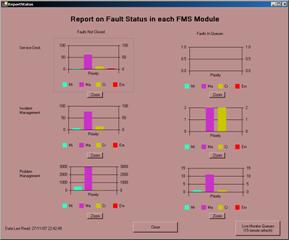
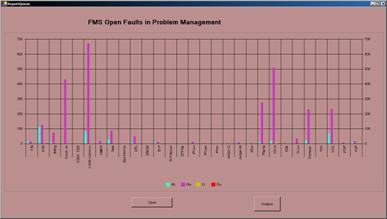
Click to Zoom in on Queues
Live monitoring also available
at the click of a button
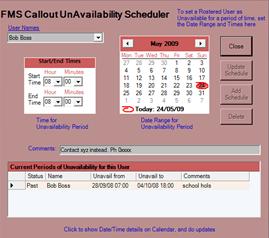
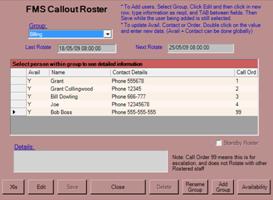
FMS also features a built in Call Roster, that rotates automatically, and includes an automated Availability Calendar
For more information, or to contact the developer, please refer to our Web Site, and click on the Contact Links. Go to Ctas NZ Ltd